How to get a photo under 2MB
Why the limit is that particular number
Application portals, government forms and school systems usually cap uploads at 1–5MB per file. The number is about handling many uploads at once rather than storage, which is why asking an administrator rarely changes it.
Meanwhile a modern phone photo is 3–8MB. Uploaded as-is, most of them bounce.
Why a quality slider makes this hard
Most tools ask you to drop the quality to 80, then 70, then 60 and save again. But the relationship between quality and file size differs per photo — a plain sky can be 200KB at quality 60, while a shot full of leaves is still 3MB at the same setting.
So you end up guessing repeatedly. You squeeze under 2MB, feel you gave up too much quality, raise it again, and blow past the limit.
Keep the format and simply reduce file size by adjusting quality. Handy for email attachments and upload limits.
Compress to a target sizeNo install, no signup · runs in your browser, so files are never sent to a server
Type the size and let the tool work
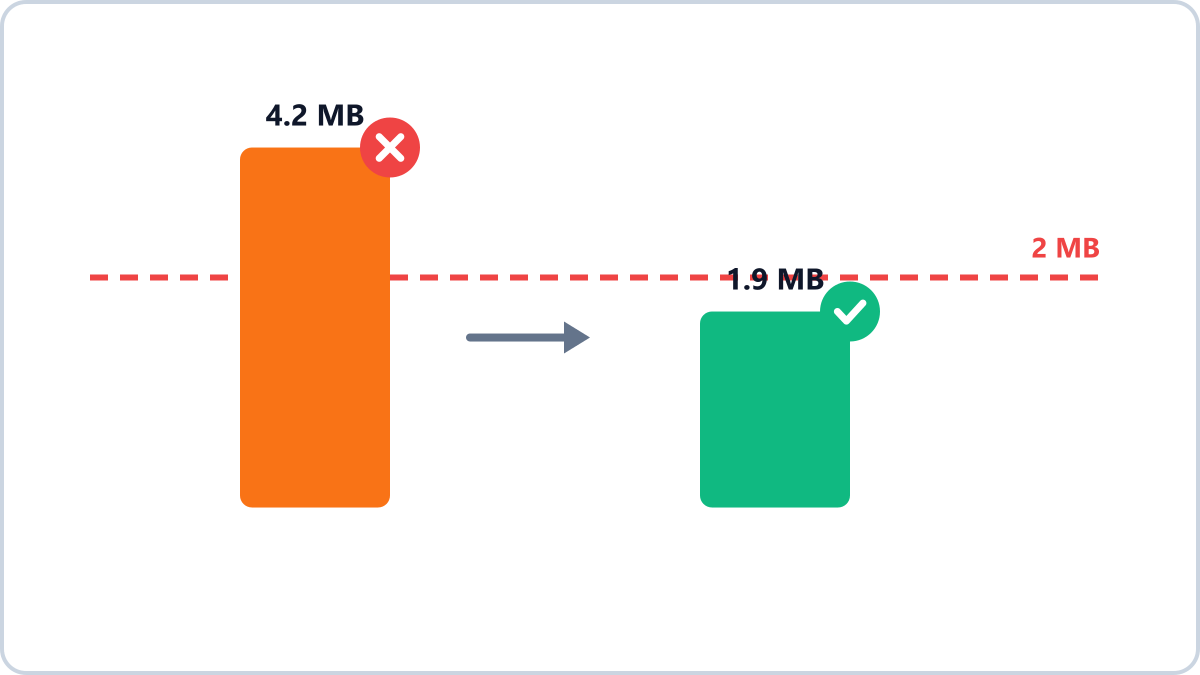
In the quality setting on Image Converter NOW, pick “Fit a target size” and type the number. The tool actually re-encodes several times and keeps the best quality that still lands under your target — ask for 2MB and you get about 1.9MB, not a needlessly small 500KB.
500KB, 1MB and 2MB are one-tap buttons. If even the lowest quality cannot reach the target, it tells you so and points to the next move: smaller dimensions, or WebP and AVIF.
When it still will not fit
- Reduce the dimensions — going from 4000px to 1600px cuts the size to roughly a sixth
- Change the format — at the same quality WebP is about 30% smaller than JPG, AVIF nearly half
- If it is a screenshot saved as PNG, simply switching to JPG or WebP shrinks it a lot
- If the form accepts PDF, bundling several images into one PDF is sometimes the easier route
Keep the format and simply reduce file size by adjusting quality. Handy for email attachments and upload limits.
Compress to a target sizeNo install, no signup · runs in your browser, so files are never sent to a server