Managing the size of your phone photos
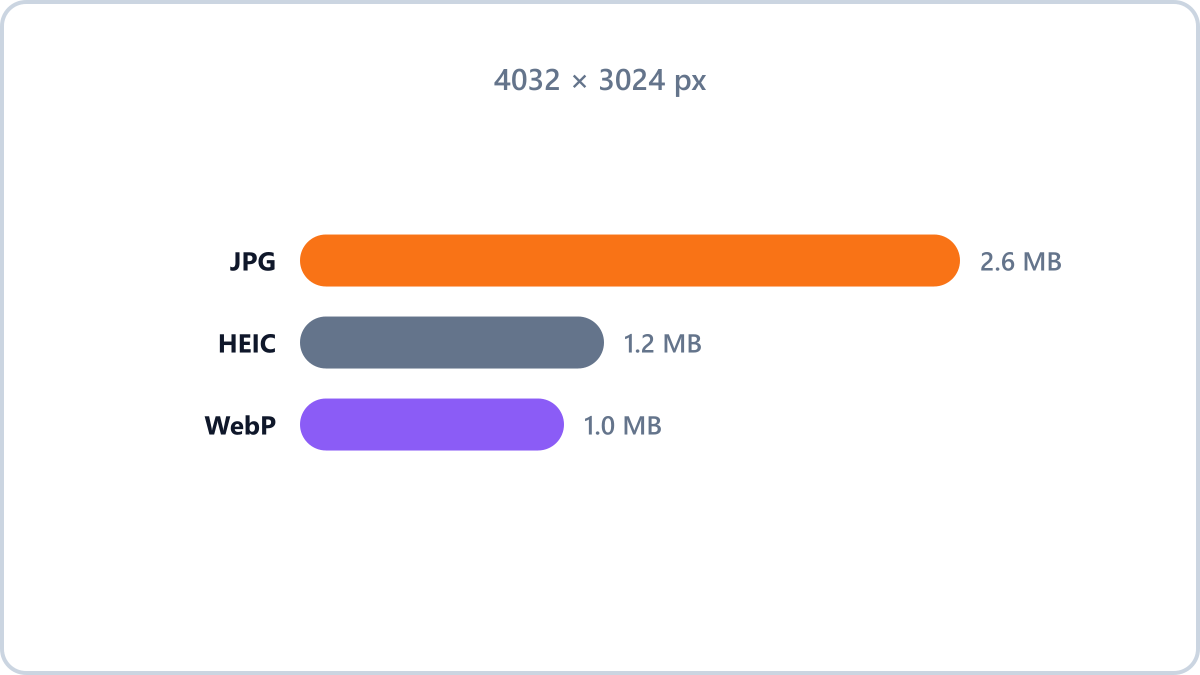
Why is one photo 5-10MB?
Modern phone cameras shoot at 50 to 200 megapixels. More pixels means bigger files, so photos that used to be 1-2MB now run to 5-10MB. High pixel counts help when you print large or crop heavily, but they are overkill for everyday viewing and sharing on a screen.
Which photos are safe to shrink?
- Safe to shrink — copies for sharing or uploading, photos of documents and receipts, screenshots you are passing on
- Keep the original — anything you plan to print, photos that matter to you, source files for editing
Keep the format and simply reduce file size by adjusting quality. Handy for email attachments and upload limits.
Shrink your photosNo install, no signup · runs in your browser, so files are never sent to a server
The efficient approach — shrink a copy
The standard approach is to keep the originals in cloud or external storage and use shrunken copies for sharing. At around 2000 pixels on the long edge and quality 85, the copy is hard to tell from the original on screen and is about a tenth of the size.
Image Converter NOW lets you add several photos at once, shrink them in one go and download them as a ZIP, so it takes only a few taps on a phone.
One more thing for iPhone users
The iPhone's HEIC format is already efficient. It does cause compatibility problems when sharing with other devices, though, so getting into the habit of converting to JPG before you share saves the recipient the trouble.
Keep the format and simply reduce file size by adjusting quality. Handy for email attachments and upload limits.
Shrink your photosNo install, no signup · runs in your browser, so files are never sent to a server