If your transparent background keeps disappearing
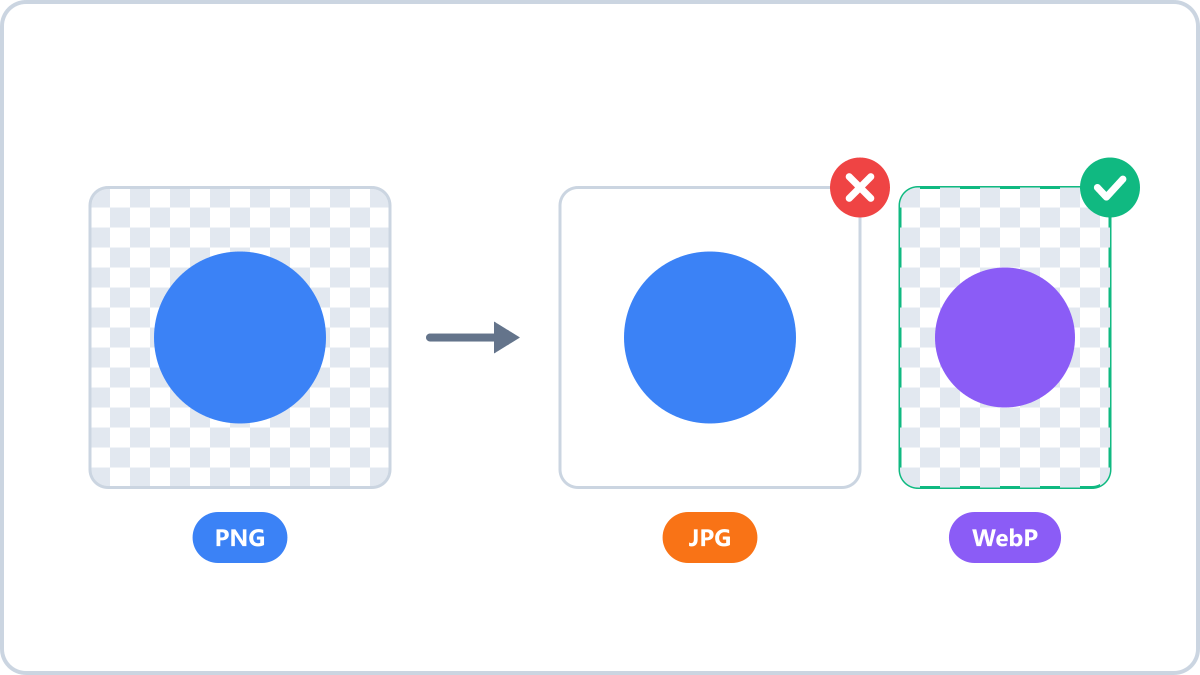
Why the transparency disappears
The JPG format cannot store transparency. The moment you save a transparent image as JPG, the transparent areas are filled with a background colour — usually white or black. That is exactly what has happened when a logo arrives as a JPG with a white rectangle behind it.
Formats that support transparency
- PNG — the standard for transparency. Lossless, ideal for logos and icons
- WebP — transparency plus smaller files than PNG. Recommended for the web
- AVIF — transparency plus the smallest files. Check the viewing environment first
- JPG and BMP — no transparency. The background gets filled in
Convert JPG, PNG, WebP, HEIC and AVIF images into the format you need. Everything is processed in your browser, so files never leave your device.
Convert and keep transparencyNo install, no signup · runs in your browser, so files are never sent to a server
Converting while keeping transparency
Simply choose PNG, WebP or AVIF as the output format. Image Converter NOW detects whether an image contains transparent areas and marks it in the file list, and if you pick JPG it prompts you to choose a background colour first.
If you actually want the background filled
When you deliberately need a solid background — sending artwork to a printer, for example — choose JPG as the output and set the background colour you want. White is the default, and the colour picker lets you specify a brand colour instead.
Convert JPG, PNG, WebP, HEIC and AVIF images into the format you need. Everything is processed in your browser, so files never leave your device.
Convert and keep transparencyNo install, no signup · runs in your browser, so files are never sent to a server