Compress a PDF without losing the text
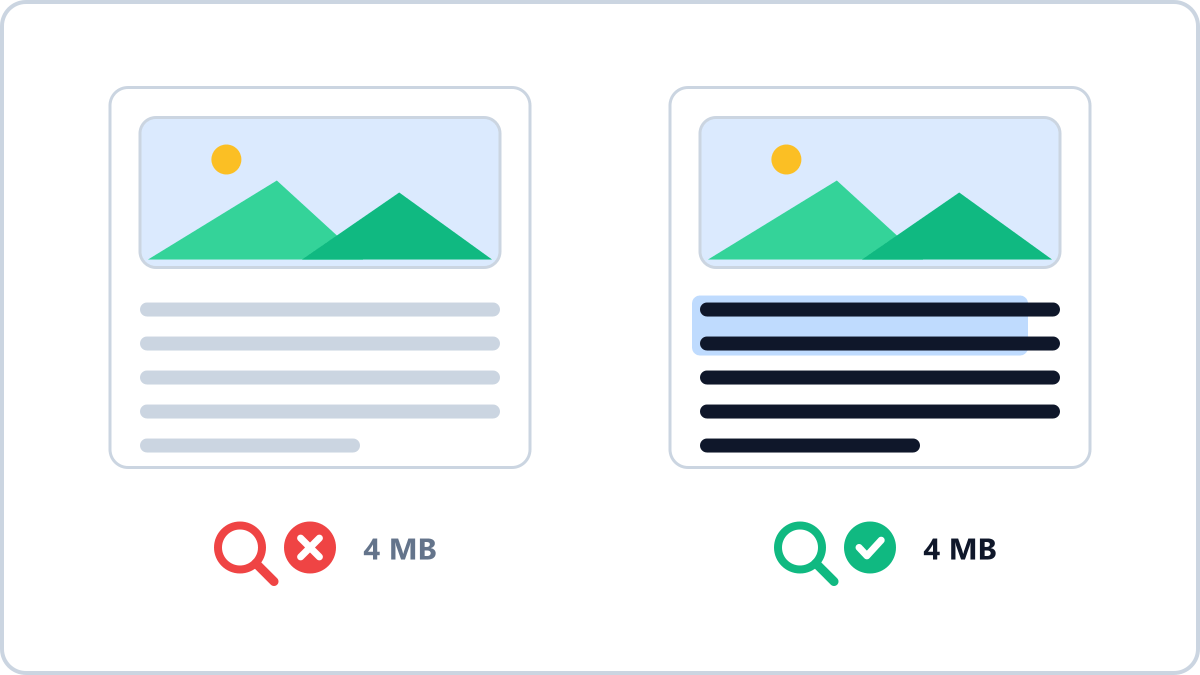
The text is not what is heavy
A PDF reaches 20MB because of scans, almost every time. Scanning one A4 sheet at 300dpi produces a 2500×3500 pixel photograph; scan ten sheets and the file holds ten of them. Text, by comparison, is a few kilobytes per page.
That is why a document exported straight from a word processor stays small even at a hundred pages. If a PDF is heavy, there are pictures inside it.
How the usual compression ruins the document
Most compressors flatten each page into a single picture. The file definitely gets smaller, but from that moment the text in that PDF is a drawing, not text. It cannot be copied or searched, and a screen reader cannot read it aloud.
For a résumé the cost is higher still. Hiring systems read the text out of a PDF to fill in your details; once the letters are a picture, nothing is read. For a contract, quoting a single clause means retyping it off the screen.
Make a heavy PDF smaller without sending it anywhere. Only the scanned photos inside are re-encoded, so text and fonts stay exactly as they were.
Compress a PDFNo install, no signup · runs in your browser, so files are never sent to a server
Re-encode only the photos
What is actually needed is to re-encode only the images inside the document. The text and fonts are left alone, so copying and searching keep working, and only the scans — which carried nearly all the weight — get lighter. That is how the PDF compressor on Image Converter NOW works.
If a form demands a specific size such as “3MB maximum”, type that number as the target and the tool adjusts until it fits. The file is processed in your browser and never uploaded, so a contract or a bank statement never sits on someone else's server waiting to be deleted.
When it still will not shrink
- If the PDF is already mostly text there is nothing to squeeze — documents exported from a word processor are like that
- Pages scanned in pure black and white (CCITT, JBIG2) are left untouched, because they cannot be re-encoded safely
- 200dpi is plenty for paperwork — a document scanned at 600dpi starts out nine times heavier
- If you are building a PDF out of photos, shrinking the photos before you bundle them gives a cleaner result
Make a heavy PDF smaller without sending it anywhere. Only the scanned photos inside are re-encoded, so text and fonts stay exactly as they were.
Compress a PDFNo install, no signup · runs in your browser, so files are never sent to a server